

Want to reclaim your desk space and maybe even reduce the pain in your neck by optimizing your viewing angle? Consider a monitor arm. Here, we take a look at the HUANUO FlowLift™ Single Monitor Mount (formerly SS6, but still model HNSS6). I also discuss the HUANUO Universal VESA Mount Adapter Kit (Model HNMUA4), which was needed for my particular monitor. How well did they work? How easy were they to install?
What Exactly Is a Huanuo FlowLift™ Single Monitor Mount (SS6 / HNSS6)?

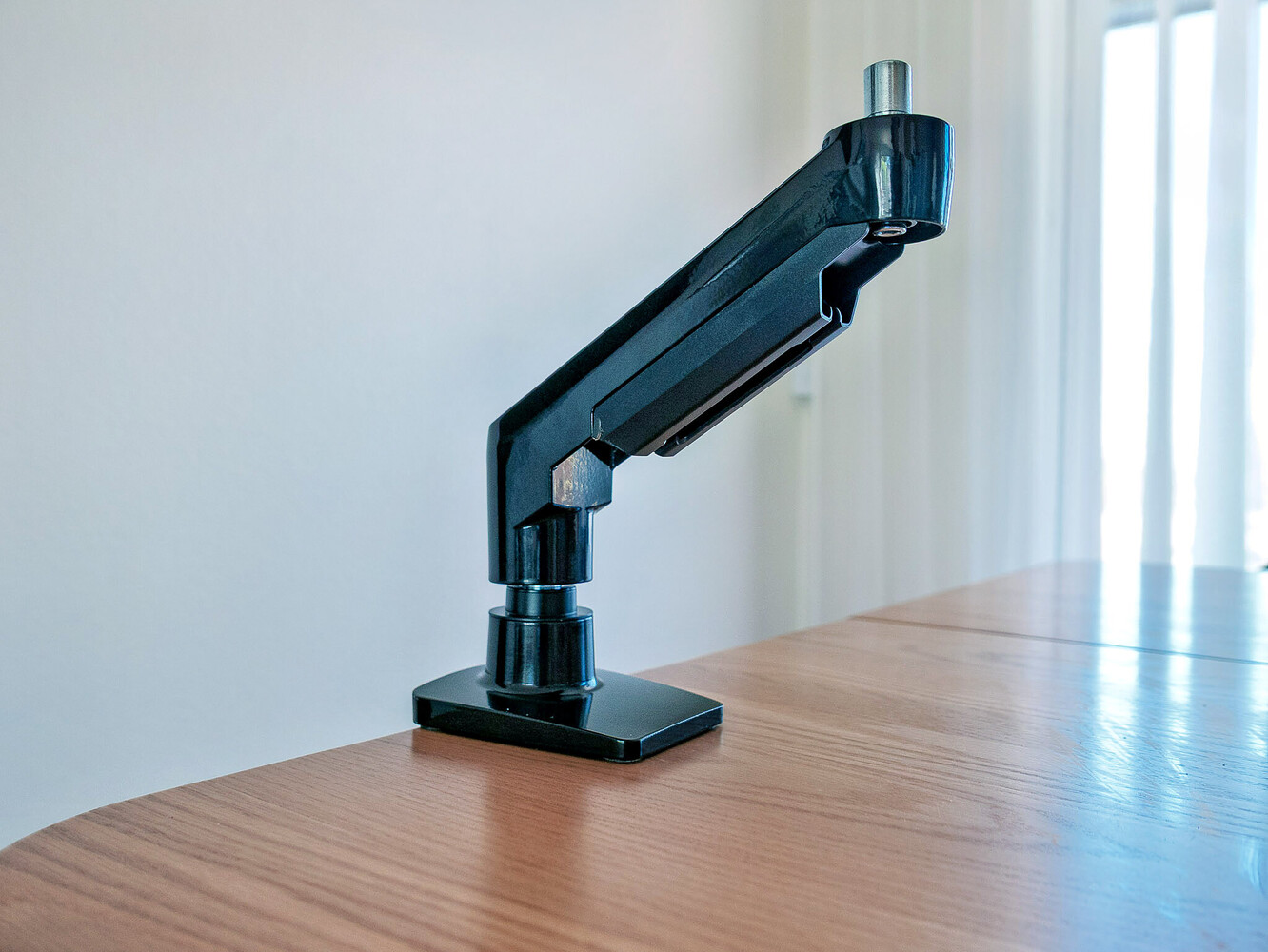
The FlowLift is a single-arm gas spring monitor mount. It clamps to the back of your desk and holds your display in the air, freeing up the real estate that your monitor's chunky stock stand was hogging. It fits screens from 13 to 32 inches, holds up to 19.8 pounds, and supports the VESA 75×75 mm and 100×100 mm mounting patterns that cover the vast majority of monitors on the market. It's available in black or white, and both C-clamp and grommet mounting hardware are included in the box.
- Screen compatibility: 13" to 32" monitors
- Weight capacity: 19.8 lbs
- VESA compatibility: 75×75 mm and 100×100 mm
- Motion range: 360° rotation, +80°/−50° tilt, ±90° swivel, height adjustment up to 15.75 inches
- Mounting options: C-clamp or grommet base (desktop thickness 0.59"–3.54")
- Warranty: 5 years
- Gas spring: Automotive-grade, tested for 20,000 cycles
- Automotive-grade gas springs that have been tested for 20,000 cycles
The various parts of the Huanuo FlowLift™ Single Monitor Mount (SS6 / HNSS6), including the well-written instruction manual.
More About Viewing Angles
Most of the time, the stock stand that ships with your monitor positions the screen too low. You end up tilting your head down slightly, hour after hour, which adds up to real discomfort and fatigue. A monitor arm lets you set the display at true eye level. This means you're sitting straighter and working more comfortably during those marathon editing sessions.
Also, with many monitors, a change in monitor angle affects how you perceive color. If the display is tilted slightly, this subtly changes the apparent color rendition.
And yes, as a bonus, you free up desk space — lots of it. And if your desk is like mine, this also means you can access cables much more easily. Just getting it off the desk already helps. And being able to easily lift and swivel it helps even more.
I also found the ability to move the monitor extremely beneficial for following exercise videos, showing videos to several people, and even watching movies from another chair.
Is It Easy to Set Up?
In a word, yes. The printed directions accompanying the monitor mount are easy to follow, offering well-drawn graphics and several options and approaches for mounting, depending on what sort of desk or tabletop you have. Page 02 walks you through determining whether your monitor is compatible.
In my excitement to get going, I skipped ahead to Page 05, only to figure out a few minutes later that the first two monitors I wanted to try were incompatible — they didn't have the VESA mounting holes. Also, one of them had a stand that was very difficult to remove, while the other was a little too heavy.
Learn from me and actually read the directions!
Enter the Universal VESA Mount Adapter Kit (HNMUA4)

I was able to determine that although my monitor did not have a VESA pattern, I could get the HUANUO Universal VESA Mount Adapter Kit (Model HNMUA4). This is a universal VESA mount bracket adapter — basically a grid of screw holes. It has adjustable steel bars that gently but firmly clamp to the back of a stubborn non-VESA screen and give it the right mounting pattern to work with the FlowLift arm.
In doing so, it easily converts non-VESA monitors to 75 mm × 75 mm and 100 mm × 100 mm VESA mounts. And as mentioned, some monitors don't have VESA mounting holes.

Here are some of its specifications:
- Movement type: Fixed
- Material: Stainless steel
- Maximum compatible size: 27 inches
- Minimum compatible size: 17 inches
- Compatible devices: Monitor

Attaching the VESA Mount Adapter Kit was simple. The most challenging part was not actually assembling it, but determining what would fit the monitor best. The monitor we chose to mount was 20", well within the compatible size. Attaching it to the assembled arm was extremely simple — just four screws to attach, then sliding the arm, monitor and all, into the clamp and tightening it.
The C Clamp, which is adjustable without needing to take out and reposition a screw.
The desk clamp's spacing is adjustable and does not require removing and reinstalling screws. Both the arm and the clamp felt beefy and well-machined and inspired confidence. Apparently HUANUO feels that way as well, as they offer a five-year warranty.
Moving the Mounting Arm

Once mounted, you adjust the tension of the arm. One of the first things you notice is how fluidly you can move and reposition the monitor — that is, once you make the final adjustments, which is simply tightening or loosening the adjustments with the supplied Allen wrench.
Attaching and adjusting the monitor, attached to the Huanuo HNMUA4 Universal VESA Mount Adapter Kit and Flowlift arm, to the C-Clamp, which is already attached to the desk.
After a few easy adjustments, you can position the monitor and let go, and it stays in that position. The build quality seems thicker and more solid, and the range of motion is excellent: 360° rotation, +80°/−50° tilt, ±90° swivel left and right, and up to 15.75 inches of vertical height range. That's enough to go from a standard sitting position to a standing desk position without running out of travel.
When you attach the monitor to the C-clamp, it immediately feels solid and inspires confidence. It feels like the arm is more than strong enough to keep everything in place, but without being needlessly bulky.
Cable Management
The mounting arm has plastic cable management underneath the arm that allows you to route power and other cables through it. Although functional, the bottom corner of one piece was chipped upon arrival. I was surprised at this since the packaging seems to protect it well.
Final Thoughts
Pros
- Excellent price-to-performance ratio
- Smooth gas-spring movement
- Good build quality for the price
- Includes both clamp and grommet mounting options
- Easy to assemble and comes with good instructions
Cons
- Cable management plastic feels cheap
- Some monitors require an additional VESA adapter (though this would be true with any monitor arm)
At only $49.99 for such a high-quality monitor stand, the HUANUO FlowLift Single Monitor Mount (formerly SS6, but still model HNSS6) is a worthwhile bargain purchase for your editing workspace. For its price point, it's built well, moves well, holds its position, and comes with a warranty that would cost more than the arm itself at competing brands. Reclaiming your desk space and optimizing your viewing angle is worth this price. And even if your monitor isn't VESA compatible, an additional $36.99 for the Universal VESA Mount Adapter Kit is still a great value.
If you've been putting off getting a monitor arm because you didn't want to spend $150 on something that's not a lens, the FlowLift is your excuse to stop waiting.
Several of the images were used with permission of HUANUO.
No comments yet